AI Series Character Chat Continuity
Short answer: Want the next reveal? Watch an episode. Want your own exchange? Start a character chat. GoLove offers both, but automatic transfer of the episode into chat memory has not been verified. A short opening sets your own scene.
The episode ends, but you still have a question for its lead. Choose the next installment for the released plot, or a character conversation for a scene that takes your replies.
Watch the story — or make the next move
- Watch: follow the next released episode and its reveal.
- Chat: ask a question or propose a different meeting.
- Create: use the separate image or video controls for a new visual.
Open Series, then choose a title. This link opens the series catalog, rather than a specific episode. For the difference between a reply and recall, see how AI character conversations work.
What you can choose in Series
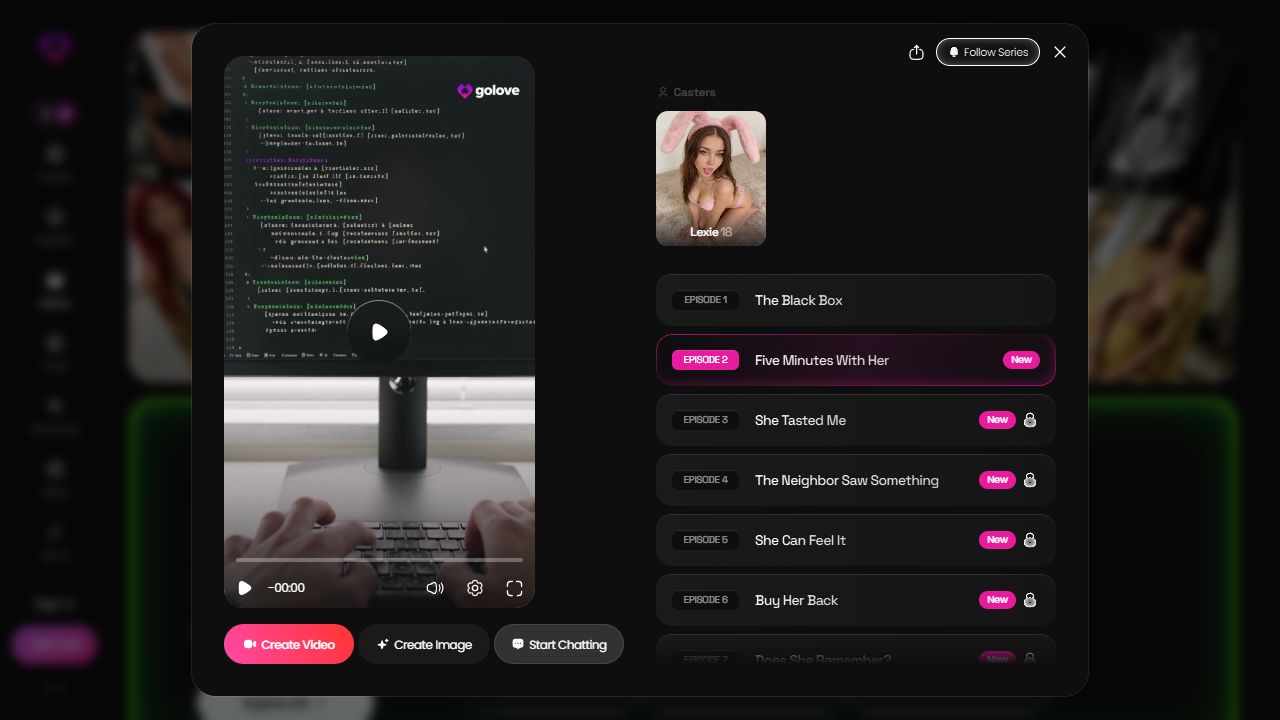
In the public English view checked on October 12, My AI Girlfriend showed an Episode 2 player, a cast card and separate Start Chatting, Create Image and Create Video buttons. These are different actions; a creation button is not another released episode.
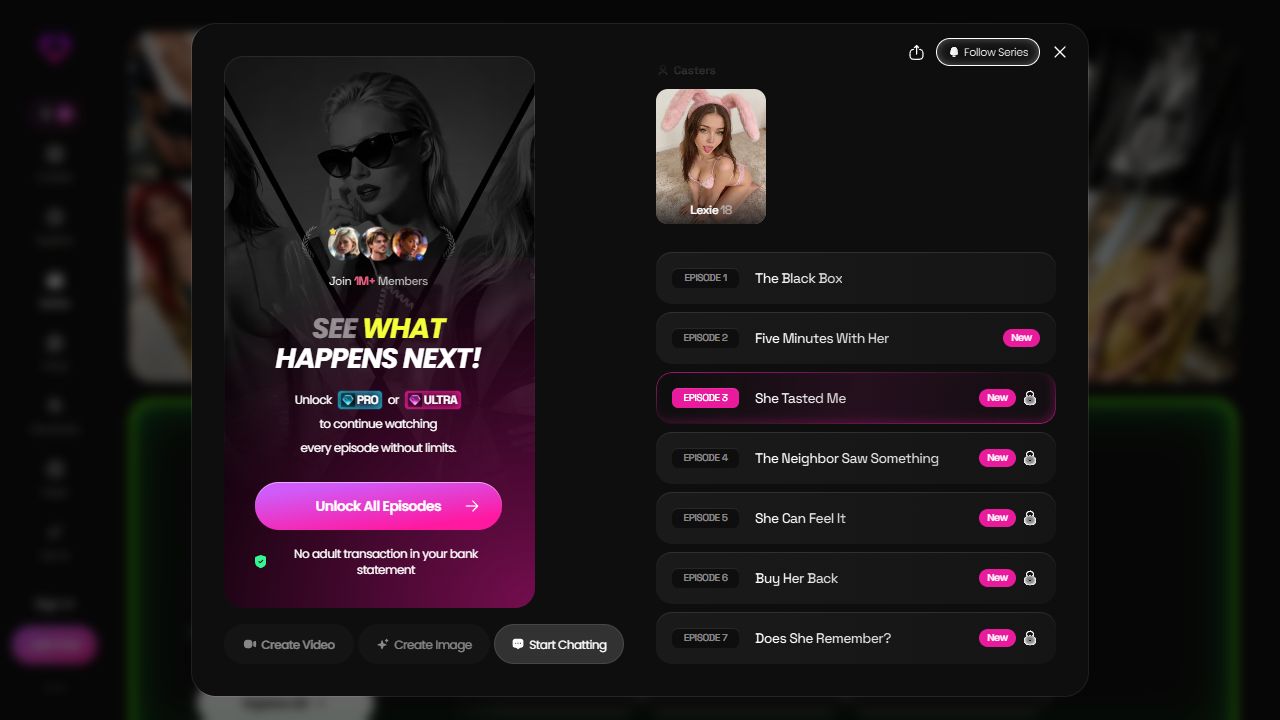
Episode 3 displayed a PRO or ULTRA prompt. Check the current access shown for your selected title before paying; this observation does not establish a universal free-episode allowance or price.
An opening worth replying to
Give the chat a moment, one detail and a question. Here is an original scene, unrelated to the official series: “After our rooftop conversation, an unopened letter is still on the table. Shall we read it, or talk about who sent it?”
That is enough to begin. Choose a voice with the personality guide, then paste your opening yourself. If the reply changes a detail, correct that detail and take the next turn.
Choose what you want next
Keep watching for the official plot. Try chat for your own exchange. Use the video creation guide if you want a new visual. Automatic episode-to-chat memory remains unverified, so choose chat for the conversation itself.
Frequently Asked Questions
Does Start Chatting mean the character remembers the episode?
That has not been verified. Set the moment and one important detail in your first message instead of assuming the chat knows the plot.
Can I watch two episodes without paying?
The October 12 capture shows the My AI Girlfriend Episode 2 player and an Episode 3 PRO or ULTRA prompt. That does not establish the allowance for every title or account; check your selected episode.
Can a recap unlock a paid episode?
No. A recap starts your own conversation; it does not unlock or continue an official video.
What if the reply changes my scene?
Correct one detail and ask one question. Evaluate that exchange on its own; an accurate reply does not establish permanent memory.
Are the character previews here the series cast?
They are GoLove catalog previews, not a verified cast list. Choose a title inside Series to see its own characters.